

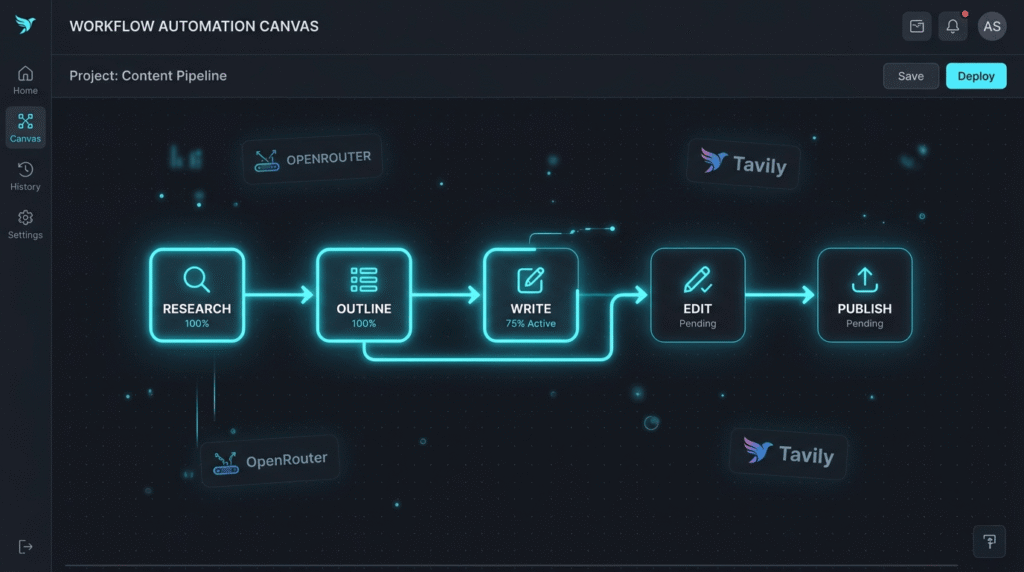
Quick Answer Box: n8n SEO automation lets you build a robust, multi-agent blog pipeline that leverages OpenRouter and Tavily to perform automated keyword research, content creation, and publishing. This approach streamlines content workflows, saves time, and enables scalable SEO blog production without sacrificing quality.
What is n8n SEO Automation?
n8n SEO automation is the process of using the n8n workflow automation platform to coordinate multiple specialized AI agents—like OpenRouter integrations and Tavily—for the purpose of automating every stage of a blog content pipeline. It enables end-to-end management of research, writing, editing, and publishing while ensuring that each part of your workflow is optimized for SEO best practices.
Defining an n8n Multi-Agent SEO Blog Pipeline
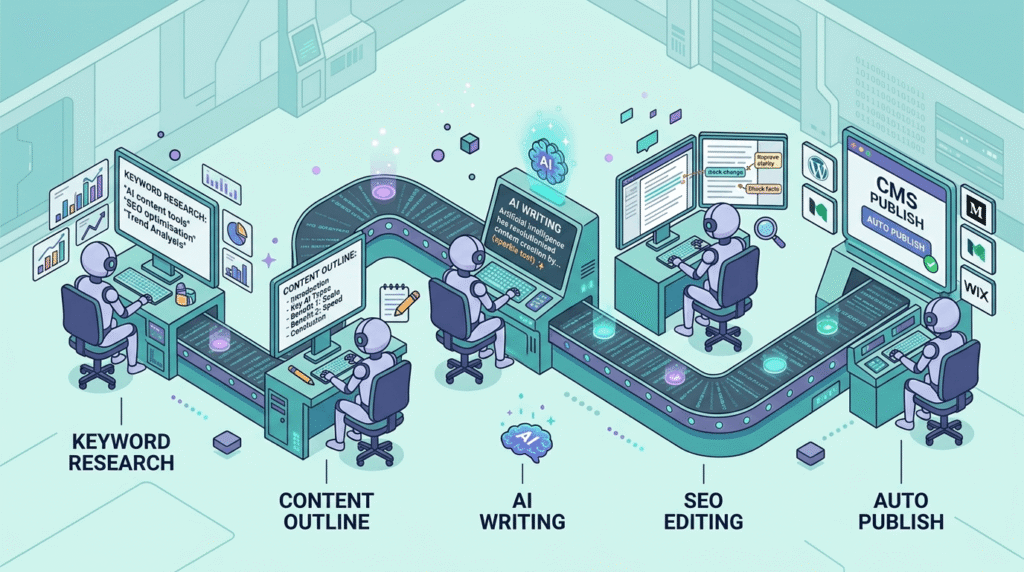
An n8n multi-agent SEO blog pipeline automates the complex tasks of blog production by orchestrating several specialized AI agents within a single, connected workflow. Using n8n’s visual automation tool, each agent—such as OpenRouter integrations and Tavily—handles a crucial piece of the content pipeline: keyword research, SERP research, content outlining, writing, editing, and finally, publishing. By leveraging this arrangement, content teams eliminate bottlenecks and achieve a level of efficiency, quality, and consistency that is difficult to replicate with manual processes.
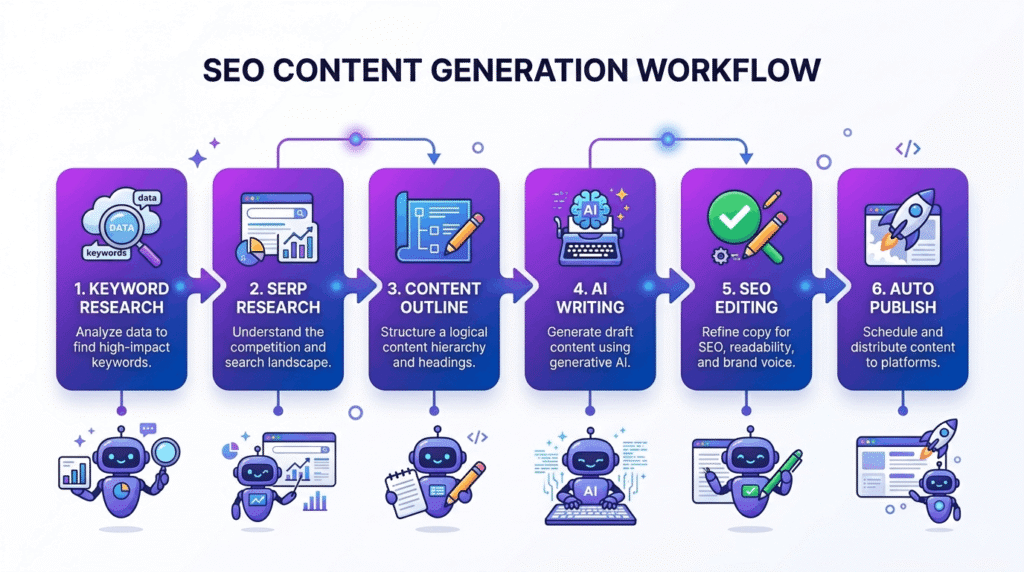
Why Use n8n SEO Automation for Blog Content?
Deploying n8n SEO automation in your blogging process fundamentally changes how content is produced. Manual tasks such as keyword research, SERP research, competitor analysis, and editorial reviews are replaced with orchestrated automation. This multi-agent pipeline enables you to:
- Scale from a handful to dozens of SEO-optimized articles per week without hiring additional writers or editors.
- Achieve high consistency in both tone and quality, since each agent applies the same logic and SEO rules.
- Automate compliance with the latest on-page and technical SEO standards, ensuring every article meets modern ranking criteria.
Recent adoption trends reveal thousands of n8n multi-agent SEO automation workflows are launched every month in industries ranging from publishing to SaaS. This saves content teams hundreds of hours and enables even small companies to compete with enterprise publishers. By incorporating Google Sheets automation, performance tracking, and automated QA reviews into your content pipeline, you proactively catch errors and inefficiencies before they impact content delivery.
How n8n Automation Enriches Your Content Pipeline
With n8n SEO automation, blog teams can stop relying on repetitive checklists and instead implement a tailored, end-to-end pipeline. Multi-agent designs mean that every stage—keyword intake, outline creation, writing, and publishing—is checked and optimized automatically. Multi-agent coordination not only saves time but ensures output is always current with the SEO landscape. For example, as ranking factors evolve, updating an agent prompt or API endpoint propagates changes instantly across the entire pipeline.
Core Components of an Automated SEO Content Pipeline
Building a powerful n8n SEO automation pipeline requires assembling several specialized pieces into a seamless workflow. Core components include:
- Schedule Trigger: Sets when your content pipeline runs—whether daily, weekly, or on-demand—ensuring new articles are always published on schedule.
- API Endpoint Management: Connects external platforms and AI models such as OpenRouter and Tavily to your n8n workflow. API endpoints manage authentication, data flow, and response formatting for each stage of the content pipeline.
- Specialized Multi-Agent Coordination: Each agent is dedicated to a critical role: from SERP research (via Tavily) to content generation (using OpenRouter integrations) and SEO optimization.
- Google Sheets Automation Integration: Provides a real-time dashboard for keyword input, article tracking, performance analytics, and management reporting.
- Error Handling and Credential Security: Nodes are added to anticipate workflow failures, manage error notifications, and keep API credentials secure, dramatically increasing reliability.
This strong orchestration empowers your blog pipeline to move from ideation to publication with speed and consistency.
Schedule Trigger in Automated Workflows
A schedule trigger is the foundation of your content automation system, dictating how often new content is initiated. Whether you prefer daily publishing or weekly runs, configuring schedule triggers gives you total control, preventing backlog or overproduction. Advanced automations use conditional schedule triggers, launching workflows only when new keywords appear or when previous tasks are completed, maximizing resource efficiency.
Integrating OpenRouter and Tavily Into n8n Workflows
OpenRouter integrations and Tavily play complementary roles in a robust n8n SEO automation pipeline. Each provides essential features that elevate automation beyond basic, single-agent tools.
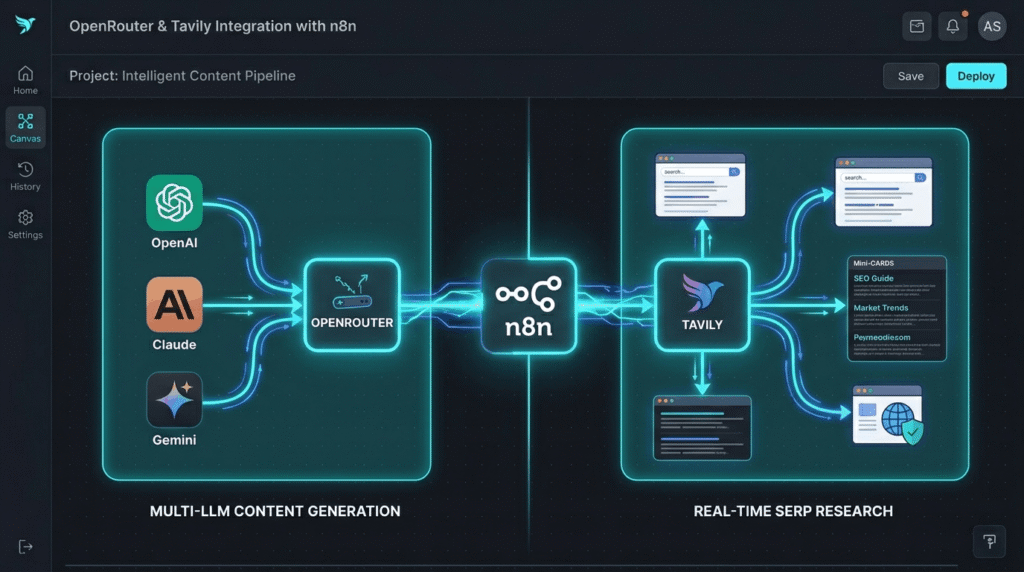
OpenRouter Integrations and Multi-Agent Content Generation
OpenRouter integrations enable your workflow to access a wide range of top-performing language models—including OpenAI, Claude, and Gemini. By embedding these models as agents, n8n lets you benchmark output, test different writing styles, and ensure your content pipeline is always using the most effective AI for the job. This is pivotal for maintaining an SEO edge, as different niches and articles may benefit from specific LLM behaviors.
OpenRouter’s core benefit is flexibility. For instance, you might use different models for technical guides, creative product pages, or localized blogs, calling the best-performing agent via API endpoints. By using conditional logic within n8n, your pipeline can even select the optimal AI agent automatically based on content type or complexity.
Tavily and Real-Time SERP Research
Tavily specializes in up-to-date SERP research and web data extraction, both of which are vital for producing competitive SEO content. Integrating Tavily’s n8n node opens up two powerful features: live ‘search’ for competitive intelligence and ‘extract’ for pulling detailed metadata, headings, and links from SERPs or webpages. This means your blog pipeline always builds content based on the freshest available data, tailoring each article to current trends and ranking opportunities.
Synergizing Multi-Agent Automation
Bringing together OpenRouter integrations and Tavily means each article benefits from both accurate research and high-quality automated writing. Configure each API endpoint node in n8n, set up credential management, and use branching for error recovery. With this design, your content pipeline is resilient, adaptive, and always produces articles that align with real-time search landscapes and optimization targets.
Building an n8n Multi-Agent SEO Blog Pipeline
Automating your content pipeline with n8n SEO automation involves a logical sequence of steps. Here’s a clear blueprint for building your workflow using OpenRouter integrations and Tavily.
- Setting Up Schedule Triggers
Begin by configuring the schedule trigger node in n8n. Decide on publishing frequency: daily, weekly, or upon discovering new keywords in your Google Sheets automation dashboard. Advanced scheduling features let you run jobs only on business days, avoid overlap, or use conditions that account for content-specific deadlines. Adjusting these speeds or delays allows your blog pipeline to flex with business needs. - Connecting API Endpoints
Next, set up your critical API endpoints. For Tavily, install the official node, enter credentials, and select between search or extract modes. For OpenRouter integrations, use the HTTP Request node, input your API key, and configure parameters for preferred LLMs. Connect Google Sheets automation by activating the relevant n8n node, authorizing your Google account, and mapping fields for incoming and outgoing data. Secure all credentials in n8n’s credential manager for privacy and reliability. - Designing Multi-Agent Workflow Structure
Organize your pipeline as a network of agents:
- Research Agent: Calls Tavily for SERP research, extracting top results, meta data, and trend signals.
- Outline Agent: Reviews inbound research and generates an optimized article structure.
- Writer Agent: Uses OpenRouter integrations to create drafts based on the outline, using prompts designed for SEO, tone, and length.
- Editor Agent: Reviews and optimizes the blog post, refining keyword density, grammar, and flow.
Each node passes context and data downstream, ensuring nothing is lost between task handovers. If you encounter error-prone transitions, add error handling nodes or QA checks.
4. Managing Keyword and SERP Data
Your workflow should be set to read keywords from a managed sheet—typically via Google Sheets automation. When new keywords are added or updated, n8n triggers the research agent to pull fresh SERP data from Tavily. Research data—like top-10 organic results, meta tags, and snippet summaries—travels through the pipeline, providing up-to-date context for the outline and writer agents. By formatting and mapping this data, you prevent relevance loss and maintain competitive targeting in every article.
5. Output and CMS Integration
For tracking and publishing, use your Google Sheets integration to append each finished article as a distinct row, including relevant meta data and publishing status. When ready, connect your pipeline to CMS endpoints (like WordPress or Blogger) for automated publishing. If customized, you can set up notifications for review, compliance, or stakeholder approval at each stage. Google Sheets automation and direct integrations mean your entire publishing process happens seamlessly, reducing manual errors.
Comparing n8n SEO Automation with Other Approaches
| Feature | Manual Processes | Zapier/Make | n8n Multi-Agent SEO Automation |
|---|---|---|---|
| Workflow Customization | Low | Medium | High |
| AI Model Flexibility | None | Limited | Unmatched (OpenRouter, Multiple LLMs) |
| Scalability | Low | Medium | High (multi-agent concurrent execs) |
| SERP/Keyword Research Automation | None | Partial (limited APIs) | Full (direct Tavily, DataForSEO etc.) |
| Scheduled Triggers | Manual | Yes | Advanced (conditional, branching) |
| CMS/Sheets Integration | Manual/Partial | Yes | Robust, direct mapping |
| API Endpoint Management | N/A | Simple | Advanced multi-endpoint handling |
| Real-Time Web Data (Tavily) | No | No | Yes (live search/extract) |
| Community Resources/Support | N/A | Good | Excellent (open source + templates) |
| Cost | High (time/labor) | Subscription | Free/self-host or pay for usage |
n8n SEO automation clearly leads in customizability, agent orchestration, and advanced error handling. Manual methods and all-in-one platforms like Zapier simply can’t match the depth, flexibility, or output quality of a multi-agent content pipeline built in n8n.
Deep-Diving Multi-Agent Content Pipelines for Competitive Advantage
Multi-agent content pipelines in n8n let you run multiple articles, topic clusters, or language variations in parallel—all while keeping QA and SEO optimization steps airtight. By integrating OpenRouter, Tavily, and Google Sheets automation, multidisciplinary teams collaborate without manual back-and-forth, dramatically increasing velocity and lowering the risk of missed deadlines or outdated research. Organizations using these workflows, including many highlighted in the Prompt Generator AI case study, report faster results and improved SERP placements compared to traditional models.
Common Mistakes in Setting Up n8n SEO Automation Pipelines
Even experienced teams run into avoidable challenges when first building their n8n SEO automation pipelines for content automation. Common errors include:
- Mismanagement of API Endpoints: Failing to centralize, secure, or document API endpoint credentials can result in downtime or accidental data exposure. Always use n8n’s credential manager and limit credentials to necessary scopes.
- Poor Agent Coordination: Skipping detailed data mapping or context transfers between agents often leads to off-topic articles and missed SEO targets.
- Incorrect Schedule Trigger Configuration: Overlapping or improperly sequenced schedule triggers can result in duplicate outputs, conflicts, or lost articles.
- Underutilizing Error Handling Nodes: Without robust error recovery, a single agent failure can halt the entire pipeline. Implement notification and retry logic for resilience.
- Overlooking Output Validation: Relying blindly on AI outputs risks accuracy and compliance issues. Use a last-step editor agent, and always incorporate review checkpoints, especially for regulated or sensitive content.
To sidestep these traps, start with proven templates from reliable sources like Digital Prowler, and test incrementally—extending your pipeline as each part is validated.
Optimizing Your Content Pipeline with Google Sheets Automation
Google Sheets automation is a vital management tool for a real-world multi-agent pipeline. Using Sheets, you can manage not only keyword intake and workflow status, but also log pipeline performance, campaign analytics, and compliance signoffs. For instance, the Development team at Digital Prowler leverages Sheets automation to coordinate multi-client blog outputs and QA cycles.
Advanced Tips for Scaling Your Multi-Agent Content Pipeline
Teams looking to maximize content pipeline value with n8n SEO automation can implement these advanced strategies:
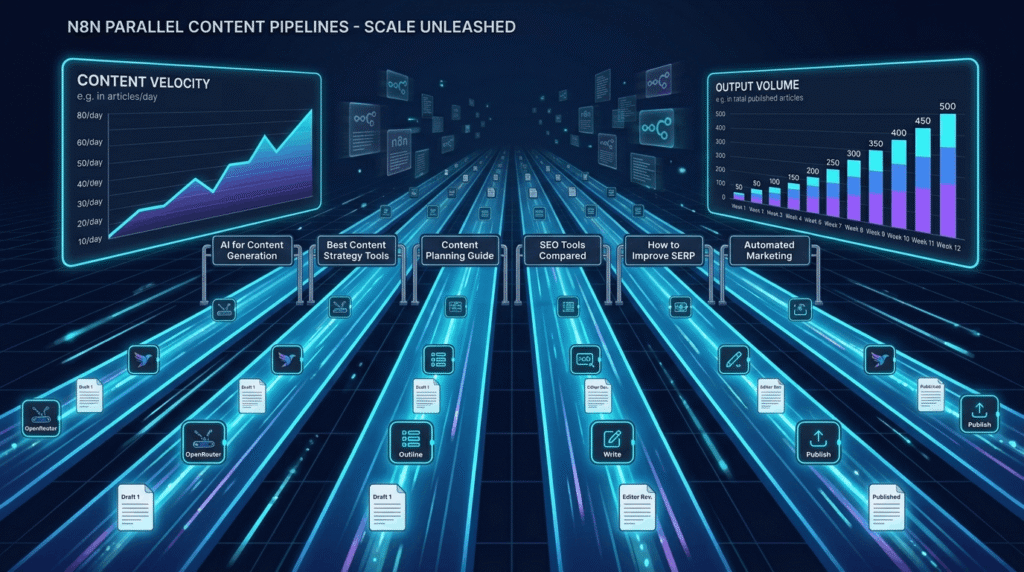
- Parallel Processing: Configure n8n for concurrent workflow runs, executing multiple keywords, articles, or entire clusters at once for maximum content velocity.
- Custom Agent Prompts: Tailor OpenRouter integrations with detailed prompts to optimize for specific ranking factors, industries, or content goals—customize for technical, local, or creative content as needed.
- Dynamic Schedule Triggers: Implement triggers that run only when specific thresholds or performances are met, e.g., when new high-volume keywords are flagged in Google Sheets.
- Integrated Quality Assurance: Add an extra AI or human-in-the-loop QA checkpoint stage to confirm E-E-A-T principles and alignment with editorial policies.
- Performance and Error Analytics: Auto-log run times, agent performance, and outcomes to Google Sheets for ongoing tuning and bottleneck identification.
- API Usage and Cost Management: Track OpenRouter and Tavily token usage versus performance, and adjust schedules and prompts for the best balance of cost and quality.
Different industries can also adapt their pipelines for vertical-specific purposes. For instance, Design agencies can fine-tune their content for industry trends, while SaaS startup teams can streamline MVP launch content by optimizing agent prompts and review steps for technical depth.
Expanding Beyond Blog Content
n8n SEO automation isn’t limited to SEO blogs. Multi-agent pipelines can generate newsletters, product pages, technical documentation, and multi-language content by swapping agent prompts and reworking output formatting. Built-in adaptability allows teams to quickly respond to new content needs with minimal pipeline restructuring. Many agencies find their first automated pipeline paves the way for broader process automation using the same reusable building blocks.
Integrating Google Sheets Automation for Workflow Management
A well-integrated Google Sheets automation solution enhances visibility and control within your multi-agent content pipeline. Here are practical ways to integrate Sheets for optimum workflow management:
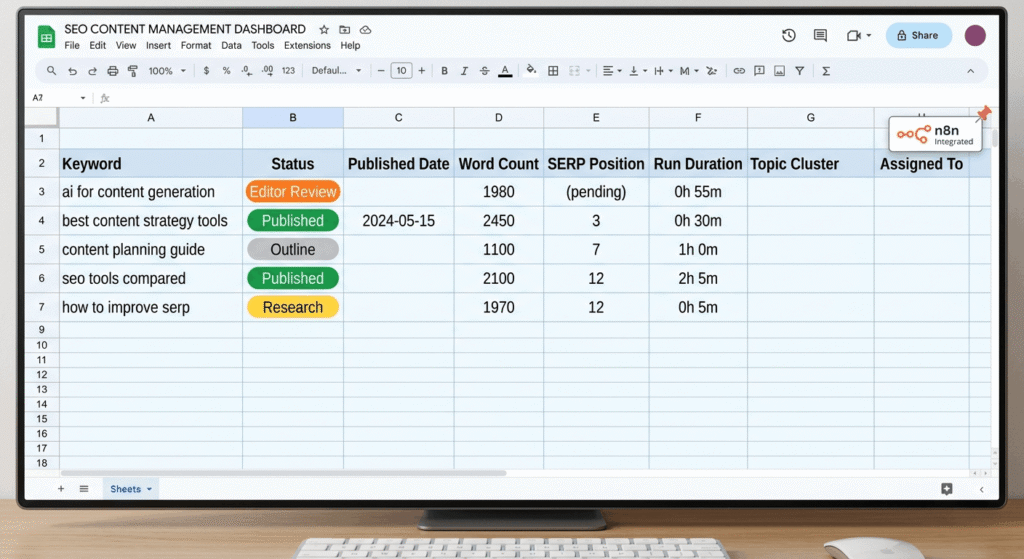
- Centralized Keyword Intake: Keep your keyword list in a shared Google Sheet, linked to your n8n workflow. Each time a new term is added, a schedule trigger initiates a new content creation cycle.
- Workflow Status Columns: Automatically update each article’s progress (e.g., “Draft,” “Editor Review,” “Published”). This keeps team members aligned, even across time zones or remote settings.
- Content Output and Revisions: Push each article draft, meta data, and review notes to the Sheet, making distributed editing and signoff simple.
- Real-Time Performance Dashboards: Capture data like run duration, error counts, and publish rates to continually assess and refine your pipeline’s output.
By leveraging Google Sheets automation within n8n, you provide editorial stakeholders, SEO strategists, and management a real-time window into every stage of the content pipeline. This application has helped agencies like Digital Prowler reduce review times, prevent duplicated work, and upskill teams in process automation.
Frequently Asked Questions
1.How does a multi-agent pipeline improve over single-agent workflows?
A multi-agent pipeline enables each stage of content creation—research, outlining, writing, editing—to be handled by specialized agents, each optimized for its specific task. This specialization drives both quality and consistency. The result is more accurate research, better-aligned outlines, and finished articles that consistently meet SEO goals. Single-agent systems, on the other hand, are limited by generalization and can’t achieve the same depth or reliability across diverse subjects.
2. What skills are required to build an n8n multi-agent blog pipeline?
You don’t need advanced coding experience. n8n offers a visual, low-code interface suitable for most users. Understanding API endpoint configuration and prompt design is useful when customizing agents, but a wealth of community-made templates and case studies are available to help beginners learn rapidly. Familiarity with content automation concepts will help you scale more efficiently and troubleshoot minor issues.
3. How do you handle workflow errors in OpenRouter or Tavily nodes?
If an error occurs, n8n clearly logs the fault with details about the affected agent, data, and API response. Best practices include double-checking API credentials, confirming endpoint URLs, and verifying data mapping logic. You can set up error-handling nodes in n8n to automatically alert your team—such as via Slack, email, or a designated Google Sheets automation log—and retry the step with fresh data.
4. What are the most effective strategies for scheduling workflows?
Effective use of schedule triggers aligns publishing with both your team’s capacity and your audience’s needs. Non-overlapping runs, dynamic conditions (like creating new content only when new keywords are available), and precise timezone mapping help avoid duplication or missed publishing slots. Scheduling workflows to coincide with predicted peak search demand can maximize SEO impact for newly published content. Reviewing analytics data from your pipeline helps you further refine timing and frequency.
5. Aside from blog posts, can n8n SEO automation support other content formats?
Definitely. n8n SEO automation is flexible enough to automate content generation for newsletters, product listings, technical documentation, or internationalized pages. Simply adapt the agent prompts, adjust your pipeline branches, and alter the output formatting in your workflow nodes. Because the entire multi-agent structure is modular, extending your pipeline to new channels or formats is straightforward—something explored in Digital Prowler’s design case studies.
Conclusion
n8n SEO automation offers a cutting-edge solution for building a scalable, multi-agent SEO blog pipeline with OpenRouter integrations and Tavily. This method streamlines every component of content automation, from schedule triggers and SERP research to error handling and Google Sheets automation. By implementing a multi-agent approach, your blog content pipeline achieves greater efficiency, accuracy, and adaptability—whether you are a solo content creator or an enterprise team. To experience what this methodology can deliver, explore our Prompt Generator AI case study, or connect with our experts at Digital Prowler for hands-on help upgrading your content pipeline using n8n SEO automation.