

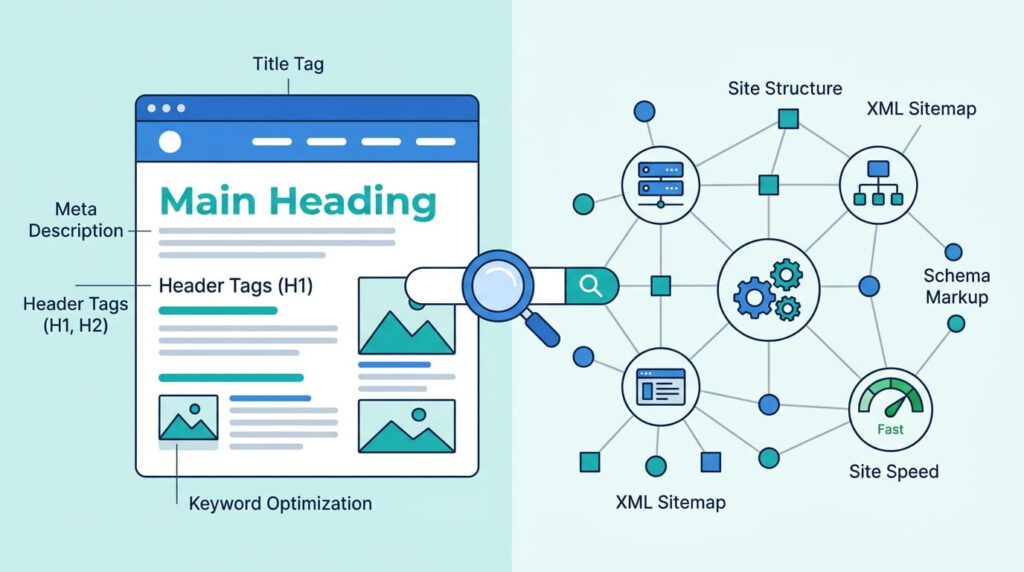
Quick answer:On page SEO vs technical SEO comes down to what each one touches. On-page SEO covers the content and HTML of a single page: titles, headings, copy, images, internal links. Technical SEO covers the site-wide plumbing that lets a search engine reach that page at all, including crawlability, speed, and mobile rendering
What Is the Difference Between On-Page SEO and Technical SEO?
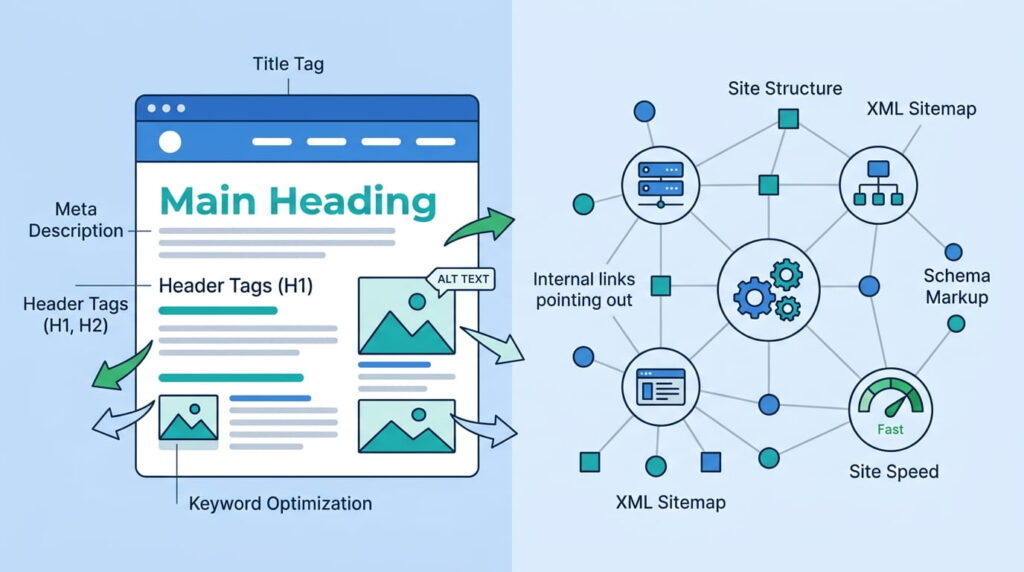
On-page SEO vs technical SEO splits along one line: content versus access. On-page SEO improves what a visitor reads on a given URL. Technical SEO improves how search engines find, render, and index that URL. Same goal, different layer. Most sites need both, and they fail in very different ways.
TL;DR
- On-page SEO is per-page and content-led: title tag, headings, body copy, images, internal links.
- Technical SEO is site-wide and infrastructure-led: crawlability, indexing, site speed, mobile rendering, structured data.
- Google confirms Core Web Vitals are used by its ranking systems. Good means LCP under 2.5 seconds, INP at or under 200 milliseconds, CLS at or under 0.1.
- Fix blocking technical faults first. A page that can’t be indexed will never rank, no matter how well the copy is written.
What Is On-Page SEO?
On-page SEO is the work done inside a single page to make it relevant and readable: the title tag, meta description, heading structure, body copy, image alt text, URL, and the internal links pointing in and out of it. It’s the layer a writer or marketer can usually change without touching the server.
The on page SEO definition, in plain terms
Anything a visitor can see, or a crawler can read in the HTML, that you control page by page. Google’s SEO Starter Guide keeps the list short: titles that are unique and accurately describe the page, meta descriptions that summarize it, descriptive alt text, and link text that tells people where they’re going.
Here’s something most on-page checklists get wrong. That same guide states that from Google Search’s perspective, it doesn’t matter if you use heading tags out of order. Semantic nesting helps screen readers. It is not a ranking lever. Spend the effort on the title tag instead, which shapes what appears in the result.
What Is Technical SEO, and What Does It Cover?
Technical SEO is the site-wide work that lets search engines discover, render, and index your pages. It covers robots.txt rules, XML sitemaps, canonical tags, redirects, server response codes, JavaScript rendering, HTTPS, structured data, and performance. Most of it lives in the codebase or server config, not the CMS editor.
Website crawlability and indexing
Google finds most pages by following links from pages it already crawled. Break that chain with a bad robots.txt rule, a stray noindex tag, or an orphaned page, and the content doesn’t exist as far as Search is concerned. Website crawlability is the first thing to verify.
Crawl budget matters less than people think. Google’s own crawl budget documentation says the topic mainly applies to sites over 1 million unique pages that change weekly, or sites over 10,000 pages that change daily. If someone is selling crawl budget work on a 60-page site, ask what problem it solves.
Site speed optimization and Core Web Vitals
Site speed optimization now has a scoreboard. The three Core Web Vitals are Largest Contentful Paint at 2.5 seconds or less, Interaction to Next Paint at 200 milliseconds or less, and Cumulative Layout Shift at 0.1 or less, each measured at the 75th percentile of real visits and split by device. INP became a stable Core Web Vital in 2024, retiring First Input Delay.
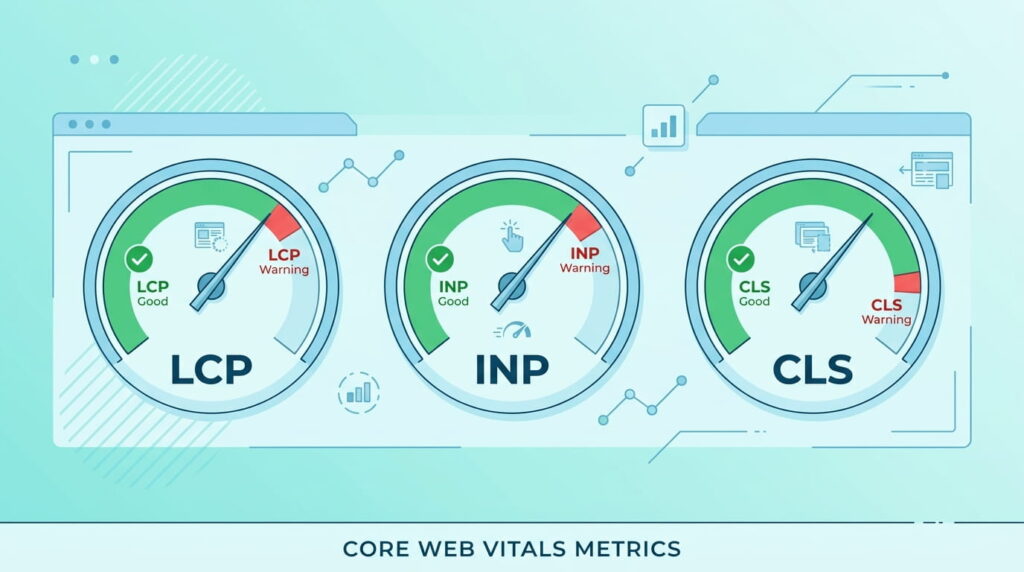
Layout shift is the one design teams cause and developers get blamed for. Unsized images, late-loading web fonts, and injected banners all move content after paint. Decisions made during UI and UX design often determine your CLS score before a line of production code exists.
Why a mobile-friendly website is the baseline
Google completed its move to mobile-first indexing on July 5, 2024. The mobile rendering is the version that gets indexed, so hidden mobile content, blocked resources, or a stripped-down mobile template turn into ranking problems. A mobile-friendly website is table stakes for modern website development.
Read that carefully, though. Google’s page experience documentation is blunt: there is no single page experience signal, and beyond Core Web Vitals, other page experience aspects don’t directly help a site rank higher. Mobile friendliness and HTTPS keep users from leaving. That’s the return.
Which Should You Fix First: Technical SEO or On-Page SEO?
In the on page SEO vs technical SEO order of operations, technical comes first, but only the blocking parts. If a page can’t be crawled, rendered, or indexed, no on-page work will move it. Once indexing is confirmed, on-page SEO produces faster visible gains, since you can rewrite a title tag this afternoon.
A working order for SEO for beginners
This sequence keeps SEO for beginners from turning into a scattered checklist:
- Confirm the page is indexable. Check robots.txt and the meta robots tag, then run URL Inspection in Google Search Console.
- Clear anything blocking rendering: broken canonicals, redirect chains, blocked JavaScript or CSS files.
- Measure real-world performance in PageSpeed Insights and fix your worst Core Web Vital first, not all three at once.
- Test the mobile rendering, since that is the version being indexed.
- Rewrite title tags and meta descriptions on pages that already earn impressions but few clicks.
- Add internal links from your strongest pages to the ones you want to rank.
On-Page SEO vs Technical SEO, Side by Side
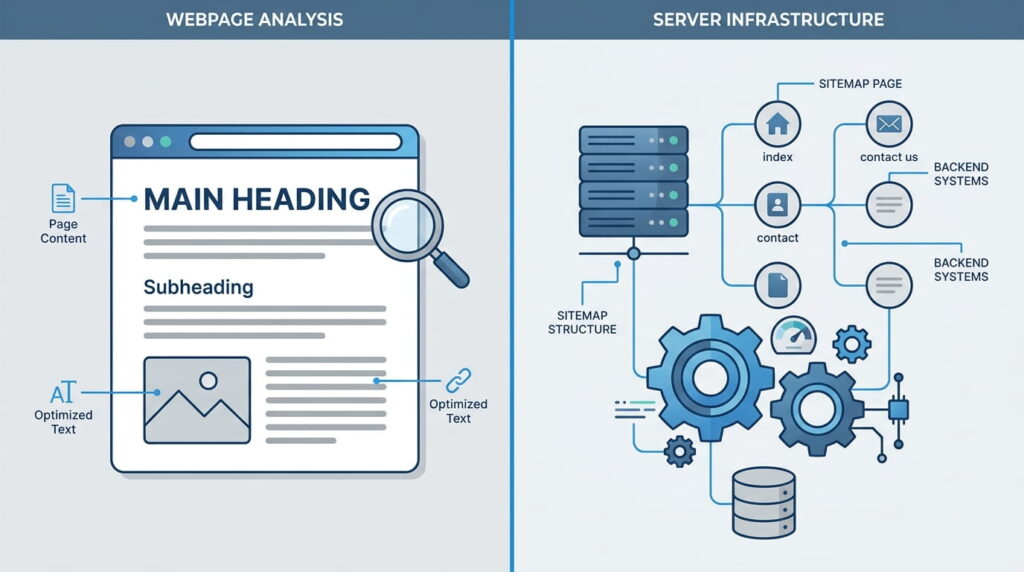
On page SEO vs technical SEO differs in scope, ownership, tooling, and failure mode. Side by side, the division of labor is obvious: one is edited page by page by a content owner, the other is configured at the site level and then monitored.
| On-page SEO | Technical SEO | |
|---|---|---|
| Scope | One URL at a time | Site-wide, template and server level |
| Usually owned by | Content writer, marketer | Developer, SEO engineer |
| Core tasks | Title tags, headings, copy, alt text, internal links | Robots.txt, sitemaps, canonicals, redirects, Core Web Vitals, schema |
| Main tools | Search Console performance report, keyword research tools | PageSpeed Insights, URL Inspection, log files, crawlers |
| How it fails | Page ranks, but for the wrong query or gets no clicks | Page never appears at all |
| Typical fix time | Minutes per page | One deploy, then ongoing monitoring |
Common SEO Optimization Mistakes to Avoid
Most wasted SEO optimization effort comes from working the wrong layer. Teams polish meta descriptions on pages Google has never indexed, or chase a perfect lab score on a site with thin content. Both feel productive. Neither moves rankings, because the real constraint sits somewhere else.
A 100 in a lab test also means little if field data from real visitors still shows a slow LCP. Google says good report scores don’t guarantee top rankings, and relevance outranks page experience when the two compete.
Then there are duplicate title tags across dozens of pages: an on-page symptom with a technical cause, usually a CMS template missing a title field. It sits between two teams, so nobody fixes it.
How Do the Types of SEO Work Together?
The three types of SEO most teams name are on-page, technical, and off-page. On-page handles relevance, technical handles access, and off-page handles authority through links and mentions earned elsewhere. Local SEO and e-commerce SEO are usually specializations layered on top rather than separate disciplines.
They compound. Technical fixes raise the ceiling for every page at once, on-page work decides which query a page can win, and off-page signals set how competitive a target is realistic. A site with clean crawlability and thin content plateaus fast, and the reverse fails less visibly. Our RevSquared AI website build planned both layers together.
Frequently Asked Questions
1. Is technical SEO more important than on-page SEO?
Neither outranks the other, but technical SEO comes first in sequence. Indexing is binary: a blocked or noindexed page earns zero traffic regardless of its content. Once a page is confirmed indexable and renders correctly, on-page SEO is what decides which queries it competes for.
2. Can I do technical SEO without a developer?
Partly. Most CMS platforms let you edit robots.txt, submit a sitemap, set canonicals, and compress images without code. Server response codes, redirect chains, JavaScript rendering, and Core Web Vitals work in the front end generally need a developer. Start with what your CMS exposes.
3. What are examples of on-page SEO?
The most common page-level tasks are:
- Writing a unique title tag and meta description
- Structuring content with clear H1 and H2 headings
- Adding descriptive alt text to images
- Using short, readable URLs
- Linking to related pages with descriptive anchor text
4. Does site speed still affect Google rankings?
Yes. Google states plainly that Core Web Vitals are used by its ranking systems, with LCP, INP, and CLS measured at the 75th percentile of real visits. The effect is a tiebreaker, not a trump card. Relevant content on a slower page still beats fast, irrelevant content.
5. How long does it take to see results from SEO?
Google says changes can take weeks or months to show in results, and not every change produces a measurable improvement. Title and meta rewrites often move click-through within a few weeks. Indexing fixes can land in days. Content and authority gains typically take a quarter or more.
Conclusion
On page SEO vs technical SEO isn’t a choice between two strategies. It’s a division of labor: technical work earns your pages the right to compete, on-page work decides whether they win. Audit access first, then relevance, and re-check both after every redesign. If you’d rather have the two handled together, talk to our team.