

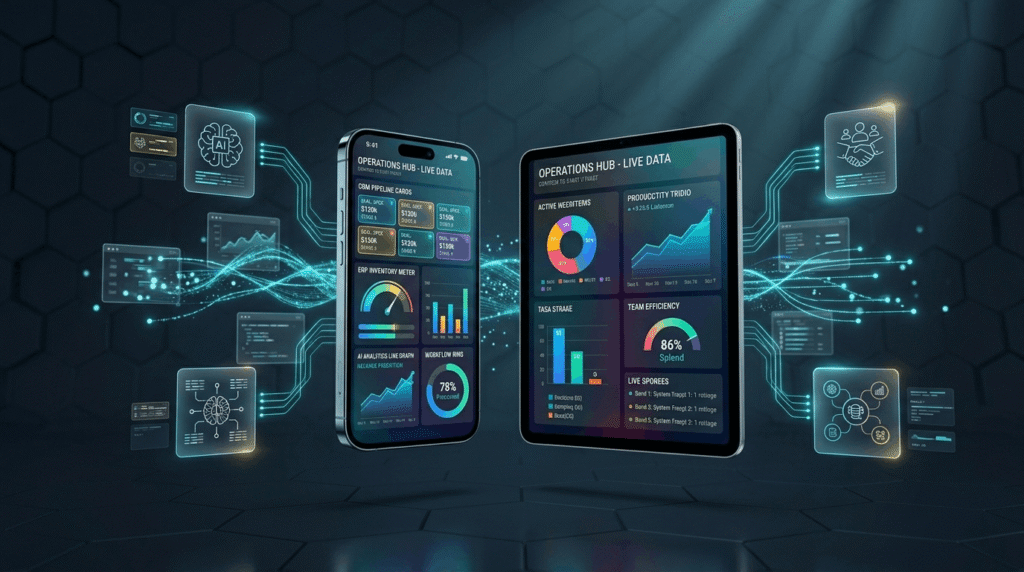
Quick Answer Box: Mobile apps in business automation and efficiency are transforming how organizations operate by providing instant access to workflows, automating repetitive tasks, and streamlining CRM and ERP processes. These tools significantly reduce errors, save costs, and improve productivity by enabling remote task management and seamless data analytics.
What is the Role of Mobile Apps in Business Automation & Efficiency?
Business automation tools, particularly those available as mobile apps, are revolutionizing how organizations operate by digitizing repetitive processes, enabling immediate task management, and providing secure access to real-time business data. With the widespread use of business automation tools, teams are empowered to work from anywhere, boosting digital transformation initiatives by reducing manual errors and accelerating decision-making.
Business automation involves using technology to handle recurring tasks, decrease human mistakes, and increase consistency. Efficiency describes how well resources, time, and effort are optimized for the best results. In this evolving business landscape, mobile apps bridge the gap between traditional systems and a remote, digitally connected workforce. By putting real-time workflows, approvals, communications, and analytics in the hands of employees, businesses can scale productivity and stay agile as demands shift.

Benefits of Using Mobile Apps for Business Automation
Mobile apps for business automation tools dramatically enhance business efficiency by making critical processes accessible on the go. Organizations investing in mobile-first automation solutions report substantial gains in productivity, cost savings, and agility—especially for remote or field-based teams.
Primary benefits include increased productivity, as automating repetitive approvals, data entry, or scheduling allows staff to focus on high-value work. Real-time dashboards and data access equip managers to make quicker, data-driven decisions. Standardized workflows in mobile apps significantly reduce the chance of manual errors, while a cited media company saved $57,480 annually through mobile workflow automation. Mobile solutions also offer scalability and flexibility, accommodating growth and distributed teams without heavy IT overhead. Enhanced customer engagement is enabled by features like push notifications and chatbots, leading to faster responses and strengthened loyalty.
Industry research from Itransition predicts over 65% of global enterprises will use mobile backend platforms to build and manage automation-centric apps by 2026, underscoring the mainstream adoption of mobile enterprise solutions.
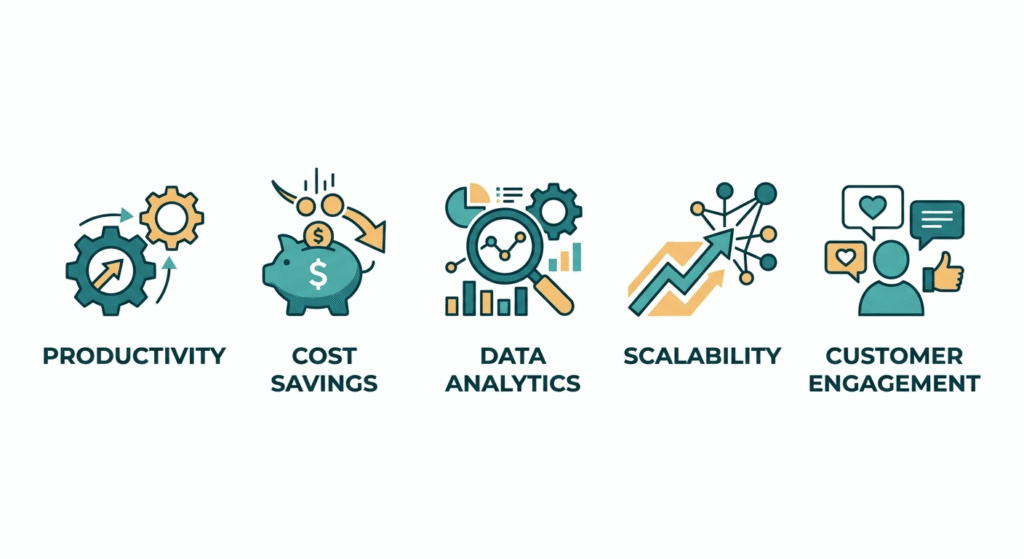
Digital Transformation with Mobile Business Automation Tools
A North American logistics firm deployed a suite of mobile business automation tools, integrating CRM and ERP apps with AI-powered analytics. The result was a 29% reduction in operational errors and a 40% improvement in field team response times. This case demonstrates that embracing mobile business automation tools not only brings bottom-line savings but also accelerates a company’s digital transformation journey.
Key Business Automation Tools and Mobile Enterprise Solutions
Business automation tools span a wide range, covering workflow engines, CRM, ERP, sales automation, finance, HR, and integrations for seamless operations. The top mobile enterprise solutions are built for real-time access and fast compatibility with your core systems.
Well known categories include:
- Workflow & Task Management: Platforms like monday.com, Pipefy, Kissflow, and Claromentis offer approvals, scheduling, and collaborative tools with cloud-based access on any device.
- Customer Relationship Management (CRM): Leading examples are HubSpot, Salesforce, and Creatio, which offer seamless sales automation, customer updates, and mobile access for field reps.
- Enterprise Resource Planning (ERP): SAP, Microsoft Dynamics 365, and Oracle deliver mobile-friendly solutions for finance, HR, inventory, procurement, and analytics.
- Integration Platforms: Zapier and IFTTT automate tasks by connecting apps and triggering workflows across both mobile and desktop.
- AI & Multi-Agent Automation: Tools like Lindy and Inkeep bring multi-step process automation using AI agents designed for mobile use.
- HR & IT Automation: Rippling enables mobile onboarding, compliance tracking, and asset management.
- Email & Marketing Automation: Sendinblue and similar apps let users run automated campaigns and analyze performance from their mobile dashboards.
- Specialized Field & Inventory Apps: eReceipts, EstockCheck, and eWarehouse provide on-site barcode scanning, inventory tracking, and logistics management.
Top business automation tools such as HubSpot, Salesforce, monday.com, Rippling, and Zapier all feature dedicated mobile solutions, empowering teams to handle complex workflows from anywhere.
If your organization needs tailored solutions, Digital Prowler’s MVP development and website development services deliver custom integrations and workflows aligned to your business needs.
Choosing the Best Mobile Enterprise Solutions for Your Business
When selecting mobile enterprise solutions, ensure the platform supports core integrations, data analytics, and user-friendly interfaces. Seek out automation platforms with proven performance in digital transformation across multiple industries, and verify security, scalability, and customer engagement features align with your goals.
CRM and ERP Mobile Applications: Streamlining Business Operations
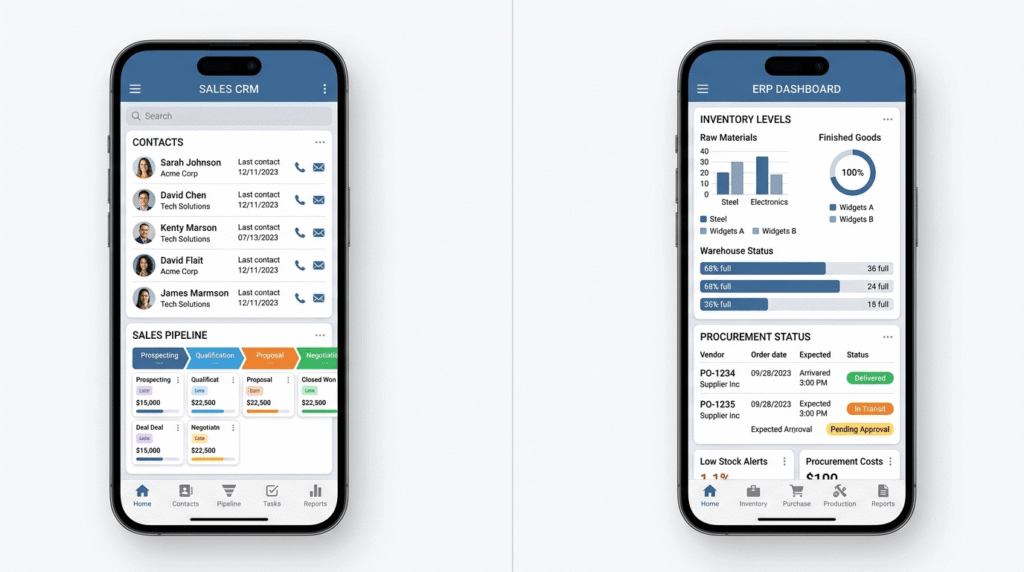
CRM and ERP applications serve as the backbone of business automation. With mobile CRM and ERP apps, sales representatives and operational teams can stay productive while on the move, accessing key data and workflows from any location.
A robust mobile CRM enables sales teams to instantly view and update contacts, automate reminders and follow-ups, and receive timely notifications on leads and tickets. Platforms such as Salesforce, HubSpot, and Creatio provide feature-rich clients supporting advanced analytics, collaboration, and speech-to-text input.
ERP apps like SAP, Microsoft Dynamics 365, and Oracle supply mobile modules for finance, HR, procurement, and inventory. Users can perform tasks such as invoice approvals, time-off requests, or supply chain updates directly from a phone or tablet. Real-time inventory checks and mobile task management ensure smoother logistics for distributed teams.
Mobile ERP Implementation for Small Business
For small and medium-sized enterprises, mobile ERP implementation is a strategic move to reduce overhead and boost agility. By integrating scalable ERP apps, SMEs in sectors like retail or manufacturing empower staff to manage procurement, track inventory, and monitor performance metrics on the go, laying the foundation for efficient digital transformation.
Mobile-enabled ERP and CRM break down silos, enhance sales automation, and accelerate decision-making for executives and field workers alike, unlocking new levels of business automation and efficiency.
AI Business Automation and Integrations
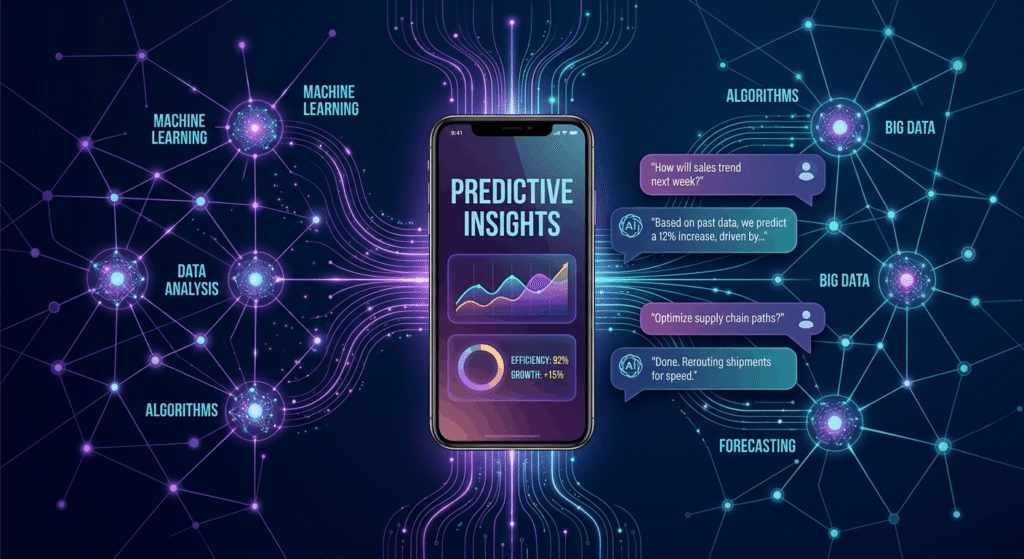
AI business automation elevates the utility of mobile apps, automating complex analysis, personalizing user experiences, and orchestrating cross-tool workflows. Leading business automation tools now incorporate AI to handle tasks ranging from predictive analytics to conversational support.
AI-powered mobile solutions deliver:
- Predictive Analytics: Machine learning forecasts sales trends, identifies risks, and offers actionable insights for proactive management.
- Chatbots and Conversational Assistants: These automate customer support and streamline internal workflows, providing instant answers and executing tasks around the clock.
- Multi-Agent Orchestration: Cutting-edge solutions like Lindy and Inkeep enable automation of entire processes, such as sending emails, creating tasks, and dispatching notifications, all triggered from a mobile-friendly interface.
Effective integrations remain essential. Top mobile enterprise solutions natively connect to CRM, ERP, communications, financial, and document management systems, supporting seamless data analytics and reducing manual handoff.
Use low-code platforms such as Zapier and IFTTT for fast integrations, or explore robust orchestration via Claromentis, Creatio, and Kissflow.
The Key to Unified Mobile Automation
A strategic integration approach ensures that business automation tools communicate smoothly. By connecting CRM, ERP, sales automation, and task management platforms through mobile integrations, organizations create transparent and optimized workflows, speeding up digital transformation and scaling productivity.
How to Automate Business Processes Using Mobile Apps
- Identify Automation Opportunities
Map out all manual, repetitive, or error-prone tasks. Look for workflows like data entry, approvals, customer follow-ups, inventory tracking, and reporting. Gather input from multiple teams to uncover bottlenecks and improvement areas. - Select the Right Mobile Business Automation Tools
Evaluate apps based on mobile-first design, integration with existing systems, workflow automation features, scalability, and data security. Tools such as monday.com, Rippling, and QuickBooks rate highly for mobile usability and depth of automation features. - Integrate with Core Business Systems (CRM, ERP, etc.)
Leverage built-in APIs and prebuilt connectors for rapid integration. Coordinate with IT to ensure data security, system compatibility, and compliance. For rapid deployment, use no-code tools like Zapier or IFTTT. - Train Teams and Optimize Adoption
Provide role-based training and highlight mobile features. Appoint automation champions in each department to mentor staff and resolve challenges, and maintain ongoing support for new employees. - Monitor, Analyze, and Refine
Use mobile data analytics dashboards to track automation usage, assess ROI, and identify improvement areas. Continually refine workflows as business needs change and staff provide feedback.
Explore a real-world automation success story in Digital Prowler’s Prompt Generator AI case study.
Top Mobile Business Automation Tools
| Tool | Mobile Platform Support | Core Features | Best For | Integrations |
|---|---|---|---|---|
| HubSpot | iOS, Android | CRM, sales automation | Marketing & sales teams | Salesforce, Gmail |
| Salesforce | iOS, Android | CRM, workflow, analytics | Enterprise multi-department | 3000+ apps |
| monday.com | iOS, Android | Project/task automation | Cross-team collaboration | Slack, Zapier |
| Zapier | Web/mobile browser | Cross-app automation | Integrating SaaS apps | 3000+ apps |
| Rippling | iOS, Android | HR, IT, workflow automation | HR & operations automation | G Suite, Slack |
| Kissflow | iOS, Android | BPM, approvals, workflows | Business process automation | Google, Salesforce |
| Claromentis | iOS, Android | Digital workplace, forms | Collaboration, document mgmt | Office 365, GDrive |
| Creatio | iOS, Android | CRM, BPM, low-code builder | Custom workflow automation | Zapier, Outlook |
See the vendors’ official websites, HubSpot, QuickBooks, Rippling, Claromentis, Creatio, Kissflow, and Salesforce for more about features, apps, and integrations.
Enhancing Task Management and Document Management via Mobile Apps
Mobile-enabled task management and document management apps streamline business activities by providing always-on access, instant alerts, and centralized control.
Workflow automation ensures task assignments, deadlines, and reminders are managed transparently. Collaboration features let teams comment, share documents, and address issues, removing bottlenecks common to desktop-based systems.
Modern document management apps like Claromentis provide secure access, version control, e-signatures, and mobile document analytics so stakeholders can review and approve materials remotely. In the field, inventory teams deploy tools such as EstockCheck and ePick for barcode scanning, digital receipts, and real-time inventory updates—all critical for efficient digital transformation and field service support.
Choose solutions developed for mobile use from the start. Poorly adapted systems can impede productivity and limit mobile automation’s benefits. For a look at exceptional user experience, visit Digital Prowler’s UI/UX design portfolio.
The Impact of Automation on Task and Document Workflows
Introducing business automation tools to task and document management reduces context-switching between systems. Integrations with CRM and ERP platforms support unified data analytics, keep audit trails robust, and enable effortless compliance across distributed teams.
Automated Reporting and Data Analytics on Mobile
Mobile apps have revolutionized automated reporting and data analytics for business operations. Instead of waiting for end-of-day reports or desktop logins, managers and team leaders now get insight directly from their smartphones or tablets.
Features typically include customizable dashboards centered around KPIs relevant to each user, push notifications for reaching milestones or missing deadlines, and scheduled reports delivered to mobile inboxes. AI-powered analytics in apps like Salesforce and Creatio offer suggestions for next-best actions or risk mitigation based on real-time data analytics.
This approach allows business leaders to address issues faster, allocate resources more effectively, and outpace competitors with data-backed strategies. Automated reporting also assists with compliance, flagging anomalies or incomplete workflows before they cause negative impact.
Integrating Automated Reporting into Business Automation Tools
For maximum impact, automated reporting must be integrated with your business automation tools, such as CRM, ERP, and task management systems. Alerts and analytics generated by these integrations drive proactive decision-making, reinforcing the value of digital transformation and continuous improvement.
Customer Engagement and Sales Automation with Mobile Solutions
Customer engagement and sales automation are central to scalable business success, and mobile solutions have become the linchpin for these initiatives.
Mobile CRM apps enable teams to log interactions, update sales pipelines, and manage leads in real time, regardless of their location. Push notifications and chatbots, often powered by AI business automation, automate outreach, appointment reminders, and product updates. These features drive faster responses, higher sales conversion, and improved customer loyalty.
Sales automation apps like HubSpot and Salesforce facilitate mobile proposals, streamlined approvals, and instant reporting from the field. High-profile companies such as Nike and Starbucks reportedly saw major increases in revenue and customer retention after adopting mobile-centric sales automation and engagement platforms.
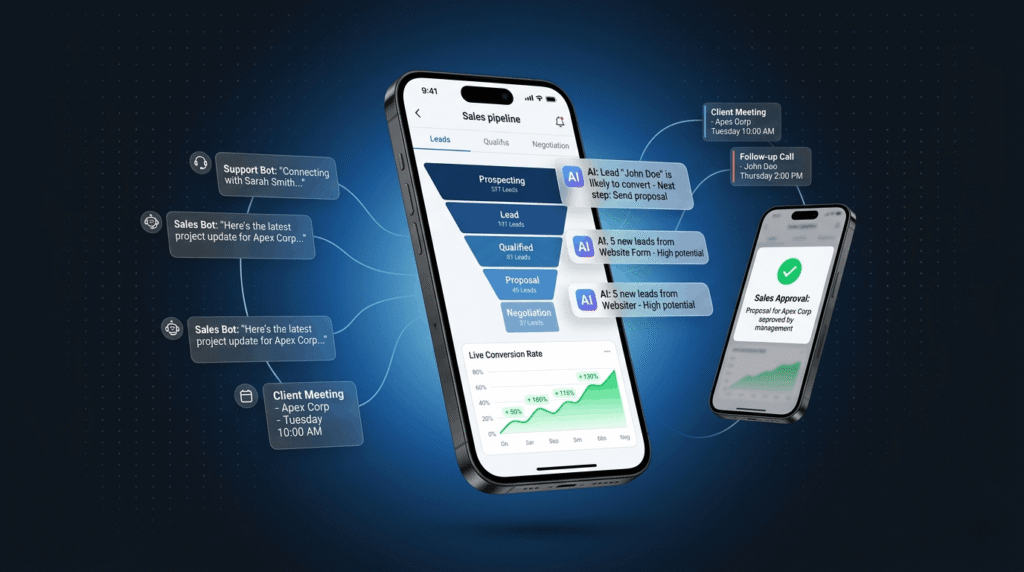
To see how tailored automation can uplift your sales team, take a look at our high-converting website for RevSquared AI.
AI Chatbot Customer Engagement on Mobile
The use of AI-powered chatbots for customer engagement in mobile apps is rising. Chatbots provide 24/7 support, answer queries instantly, and even facilitate orders or troubleshooting. This immediate service creates more personalized user experiences and helps businesses scale their engagement without expanding headcount.
Common Mistakes When Implementing Mobile Apps for Business Automation
Despite the promise of digital transformation, some businesses stumble when rolling out mobile business automation tools. Typical mistakes include:
- Failing to properly integrate automation apps with existing CRM or ERP systems, which causes data silos and inefficiency.
- Underinvestment in team training, leading to underused features.
- Creating overly complex, rigid workflows that deter adoption start simple and iterate over time.
- Insufficient attention to security, such as lacking multi factor authentication and data encryption.
- Neglecting change management and team buy in, which can result in cultural pushback and missed ROI.
For guidance on robust rollout and adoption strategies, read Digital Prowler’s company story and learn best practices for digital transformation and mobile business automation security.
FAQs
1. What types of business processes can be automated with mobile apps?
Business processes such as sales management, customer engagement, inventory tracking, approvals, HR onboarding, reporting, and document management are readily automated with mobile apps. These solutions are especially valuable for workflows requiring real-time updates or involving remote teams.
2. How can CRM and ERP systems be accessed and used effectively on mobile devices?
Mobile CRM and ERP apps from providers like Salesforce and SAP bring core system functions—client records, approvals, analytics—directly to mobile devices. Features like touch-optimized interfaces, offline access, and mobile notifications help teams stay productive while away from their desks or in the field.
3. What are the security risks and how can they be mitigated?
The main security risks involve data breaches, unauthorized access, or compromised devices. These can be mitigated by selecting vendors with strong compliance, enabling role-based access, enforcing multi-factor authentication, routine updates, and conducting security audits. Proper device policies and remote wipe functionality are essential.
4. How does AI enhance business automation on mobile platforms?
AI enhances mobile automation by analyzing data, personalizing communication, automating responses via chatbots, and delivering predictive insights. A mobile sales automation app, for example, might suggest next actions based on customer patterns, helping teams engage more effectively and drive better outcomes.
5. What is the ROI of implementing mobile automation tools?
Businesses adopting mobile automation tools typically realize ROI within months. Reported annual savings can exceed $50,000 per automated process through reduced errors, faster approvals, and greater efficiency. Improved customer satisfaction and productivity also directly impact bottom-line results.
Conclusion
The future of business automation tools is inextricably linked to mobile apps as companies demand smarter workflows and seamless integration across distributed teams. By adopting business automation tools powered by AI, leveraging robust integrations, and implementing advanced mobile enterprise solutions, organizations can unlock cost savings, real-time customer engagement, and ongoing digital transformation. To start your journey or optimize your workflow, schedule a conversation with Digital Prowler and experience the next level of business agility.